Learning that grows up with every child.
Her own board and book as a path of short lessons, from pre-primary to Class 12. Answers come from her textbook first, and every lesson grows her garden.
Register in a minute and get a link to try Dxtr straight away.
see it run.
Thirty seconds of the real app on a classroom tablet, with no internet: a lesson, her garden, Ask Dxtr answering from her book, the Explain Board and the class grove.
Sample student, synthetic data. No sound.
hand it to a child.
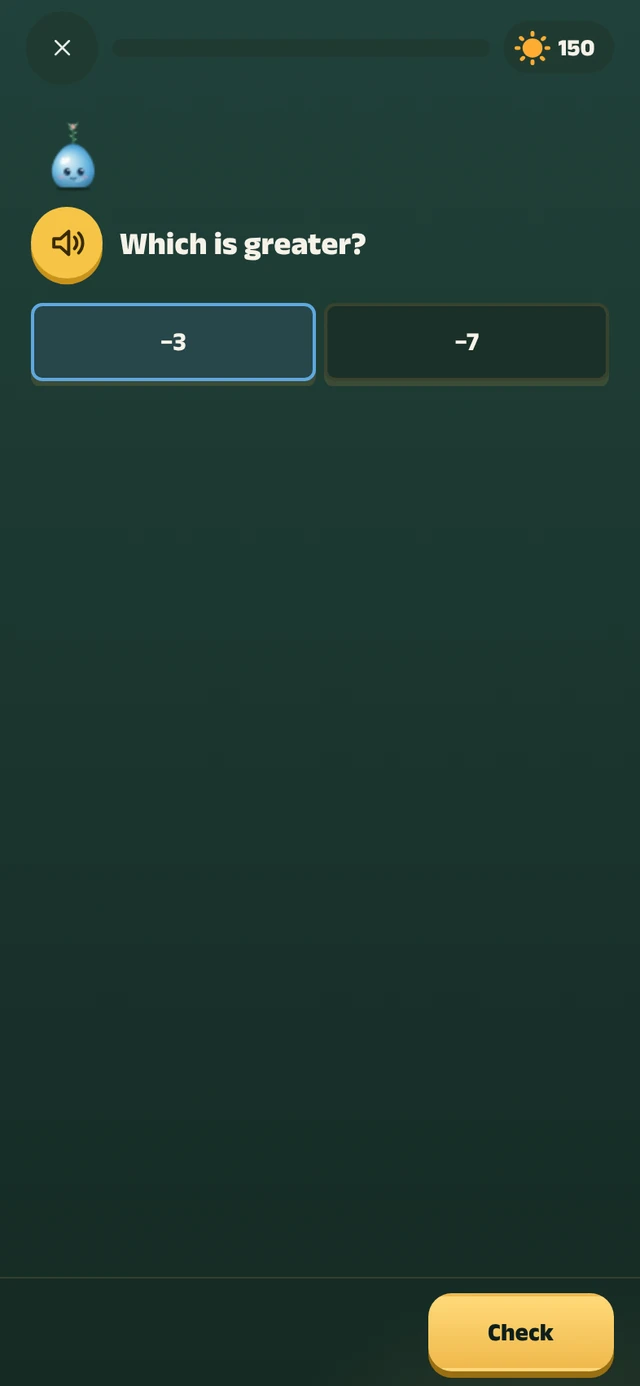
A tiny Dxtr lesson she can play right here. Each right answer is sunlight for her plant. It runs on this page, and nothing she taps is saved or sent.
1 of 5
…
Built on six boards’ real syllabi.
- CBSENCERT books, pre-primary to Class 12
- CISCEICSE and ISC, Classes 9 to 12
- Tamil NaduSamacheer Kalvi books, LKG to Standard 12
- KarnatakaState books to Class 10, then PUC
- CambridgePrimary, Lower Secondary, IGCSE, AS and A Level
- IBInternational Baccalaureate programmes
From pre-primary to Class 12, in five age bands, with English, Tamil and Hindi voices.
the screen grows up with her.
Bigger buttons, pictures and voice for the youngest. More words and more choice as she grows. Dxtr changes the screen itself, with her age and after every lesson, across five age bands from pre-primary to Class 12.
- Play
- Buttons
- Huge
- Words
- Pictures only
- Voice
- Speaks first
- Choices
- 2
- Mascot
- Guide
- Explore
- Buttons
- Big
- Words
- One word
- Voice
- Speaks first
- Choices
- 3
- Mascot
- Companion
- Learn
- Buttons
- Medium
- Words
- Short labels
- Voice
- Tap to hear
- Choices
- 4
- Mascot
- In the corner
- Study
- Buttons
- Standard
- Words
- Full text
- Voice
- On request
- Choices
- 6
- Mascot
- Avatar
her board. her book. her order.
Dxtr follows six boards’ real syllabi, so she sees her own chapters, in her order, as a path of short lessons.
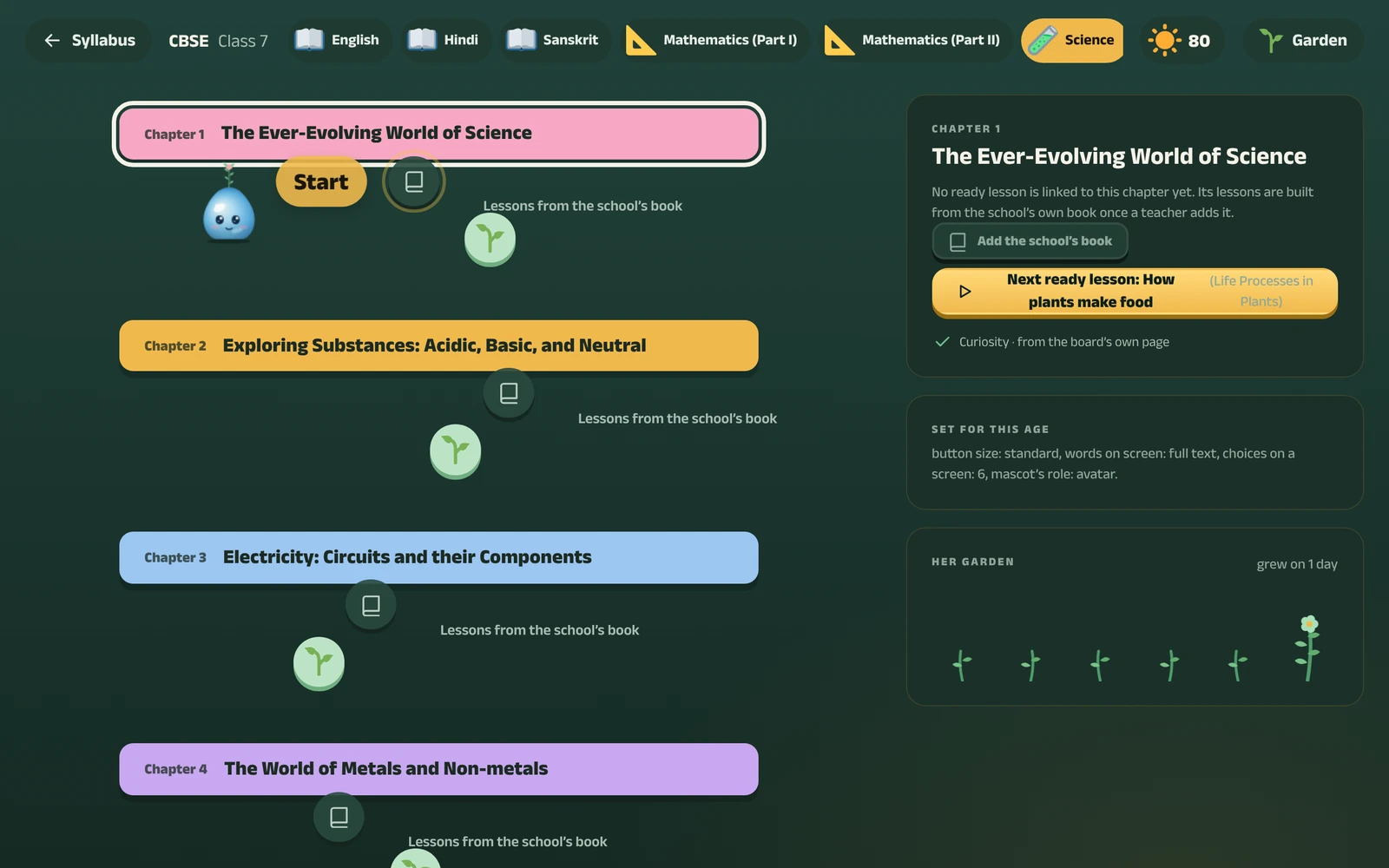
Her home screen shows her subjects and her next lesson, and each subject opens as a path of its chapters.
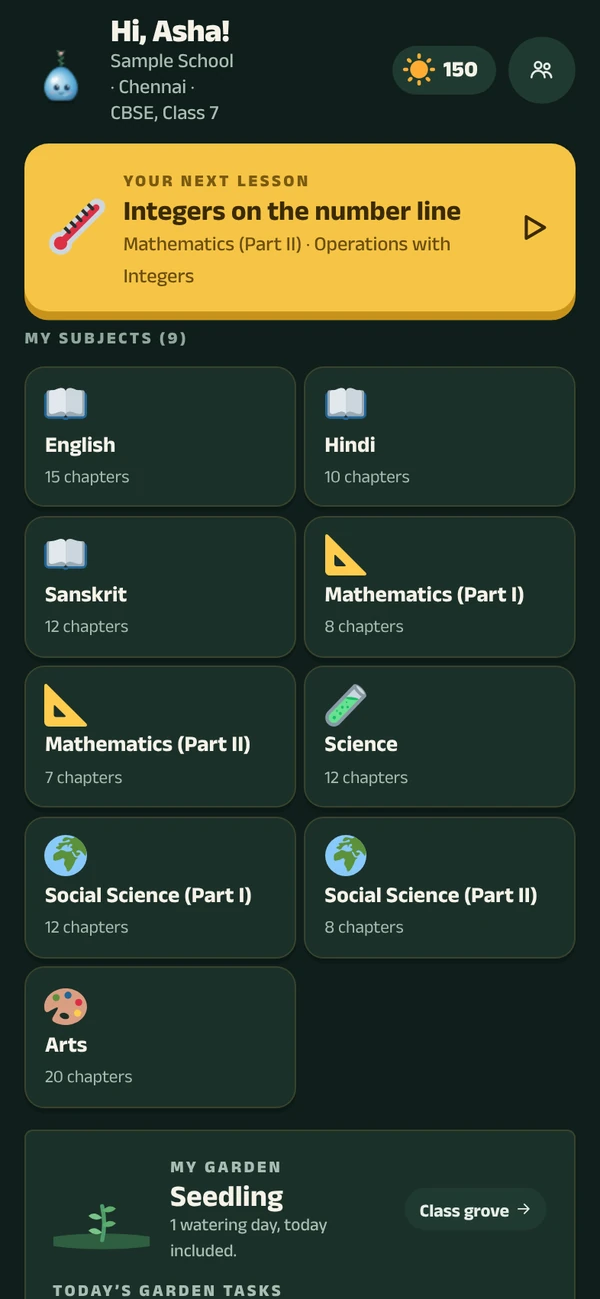
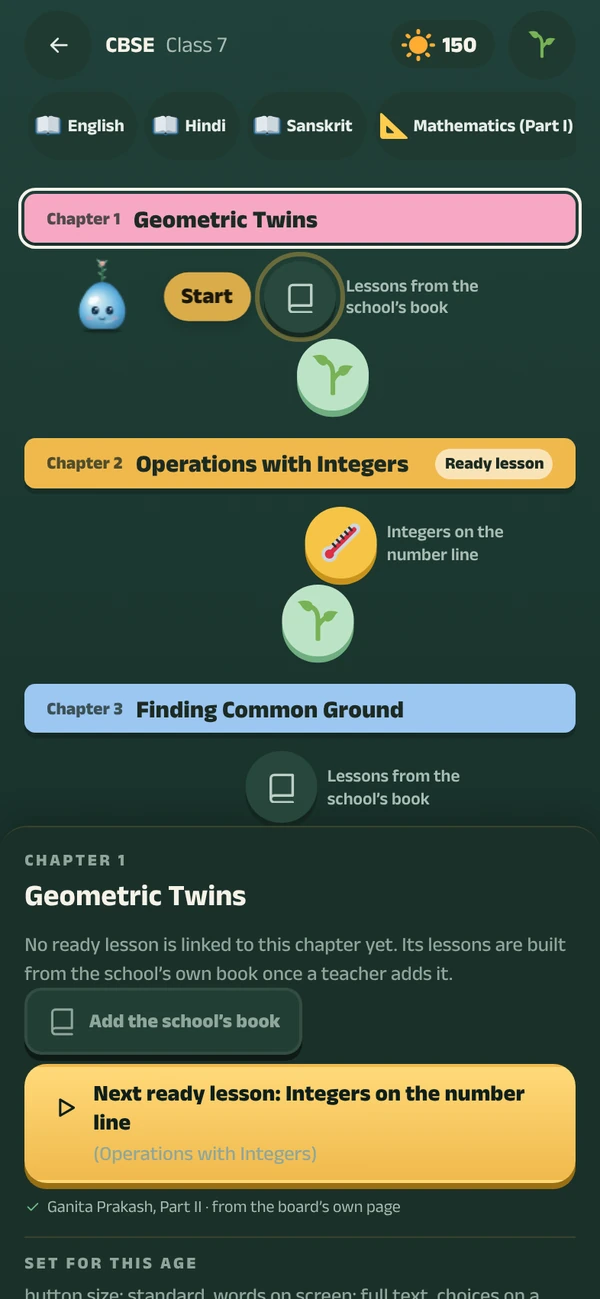
answers start on her own page.
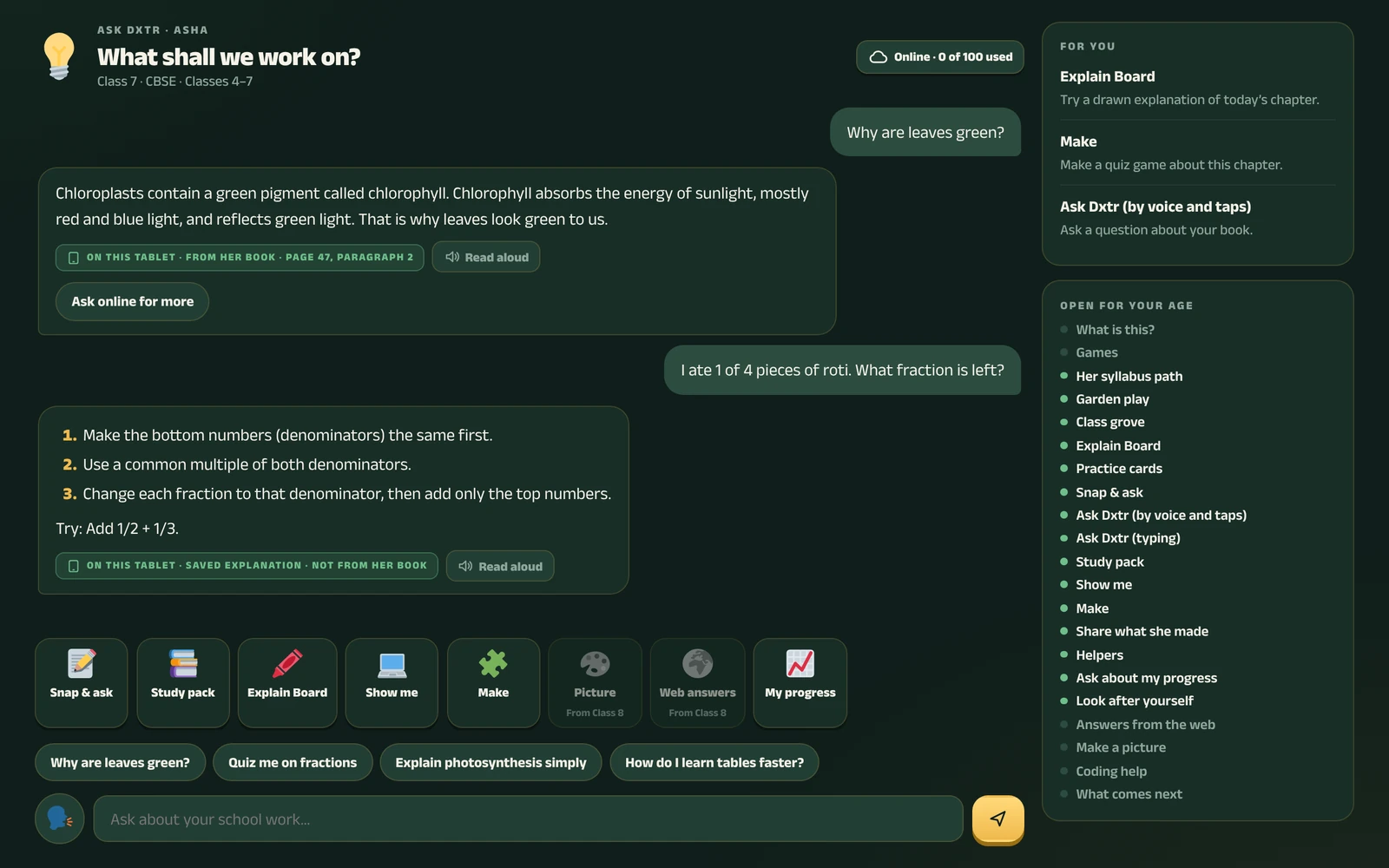
When she asks Dxtr a question, the answer comes from her own textbook first, with the page and paragraph.
For homework she gets hints, not answers, so the thinking stays hers.
Classroom tablets work offline; harder doubts go online.
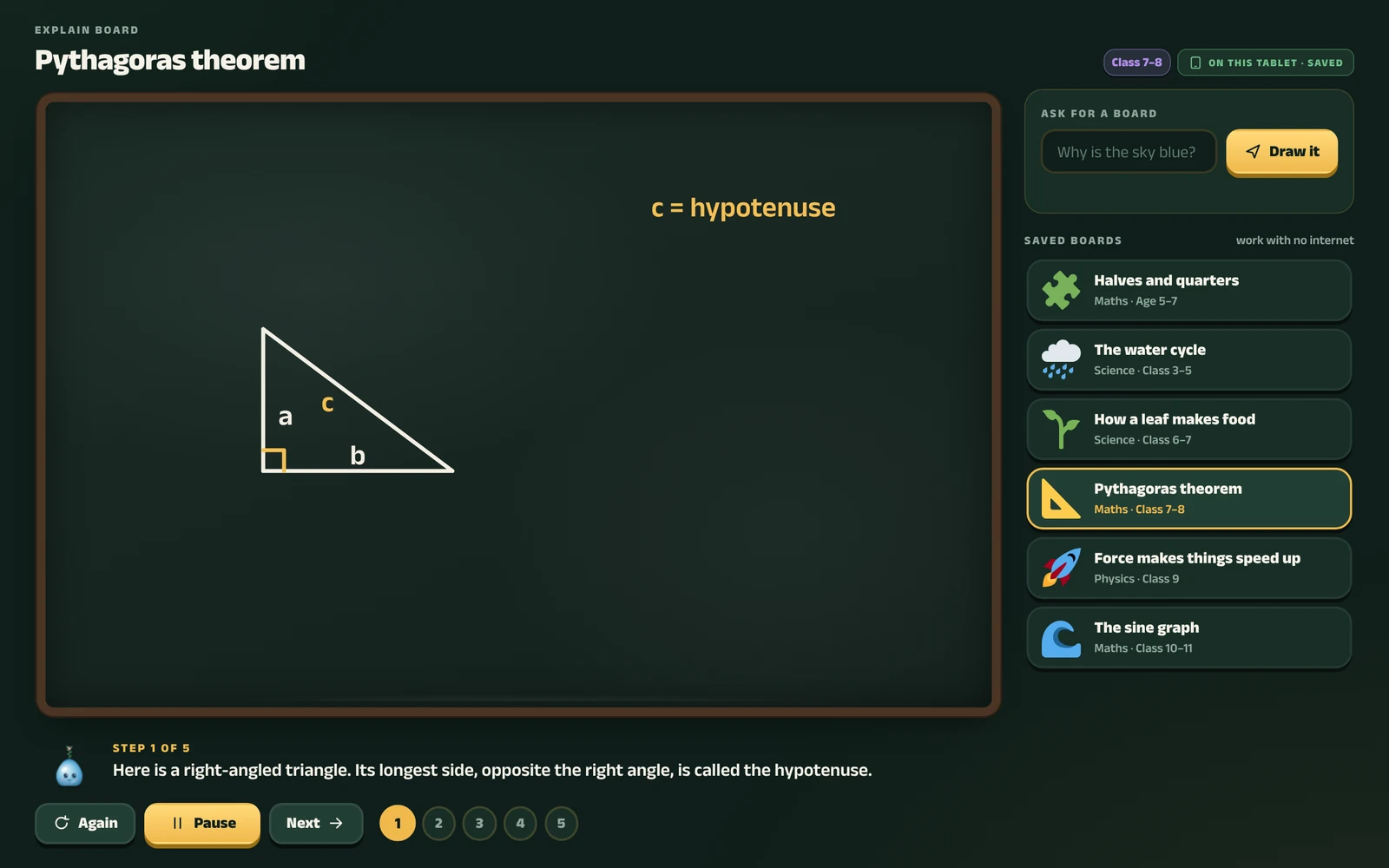
a whiteboard that talks it through.
The Explain Board draws and speaks an answer step by step, like a teacher at the whiteboard. She can pause it, or play it again.
Saved boards work offline.
she describes a game. it gets built.
In Make, she says what she wants to play, and Dxtr builds the game for her.
If she wants her class to play it too, sharing goes through her teacher first.
every lesson is sunlight.
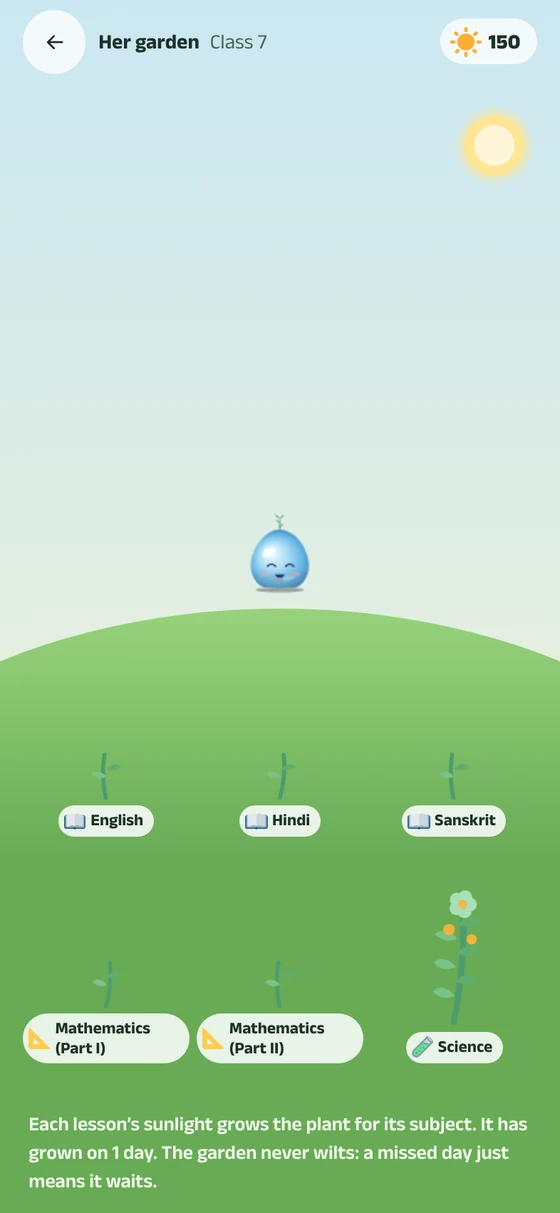
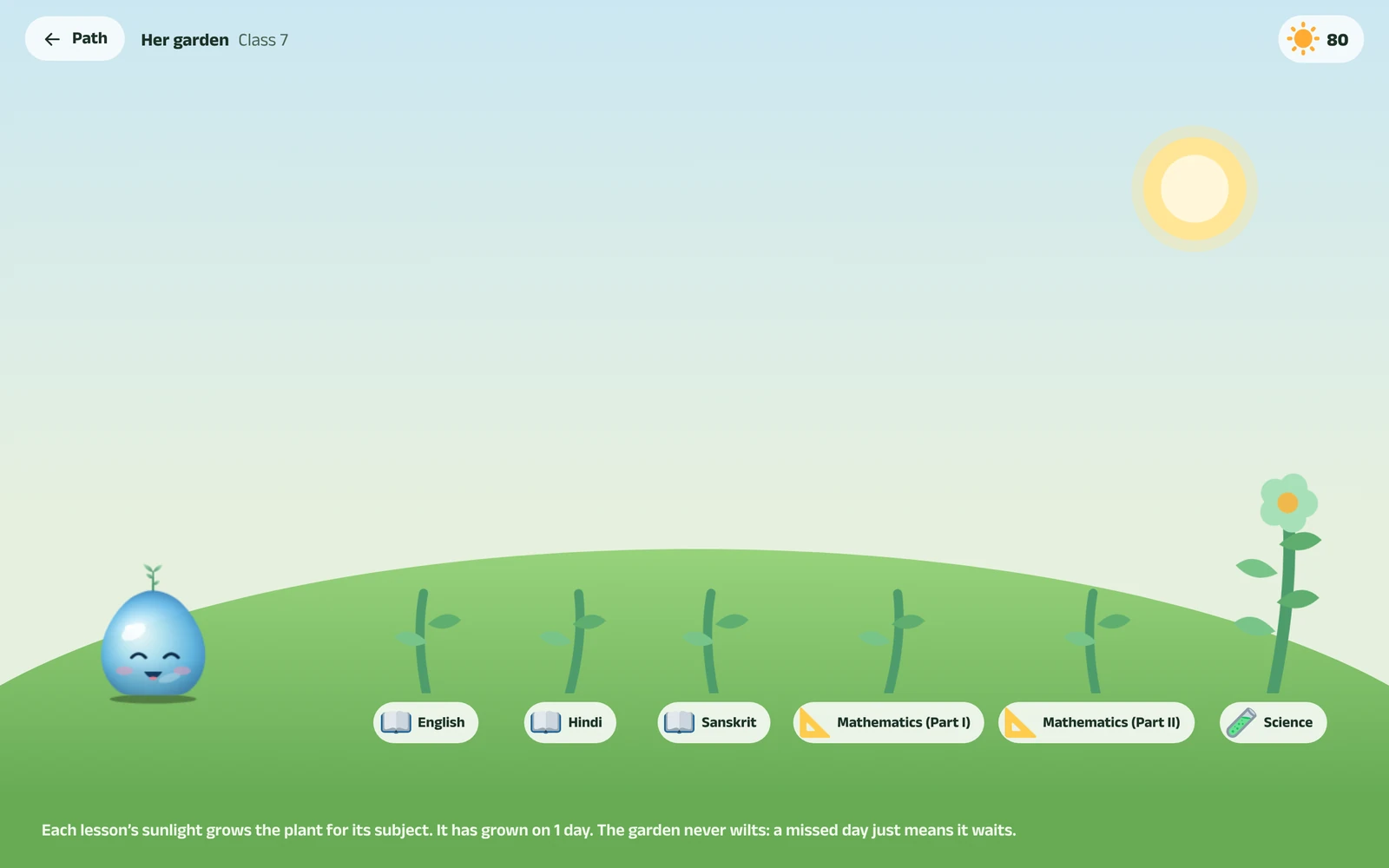
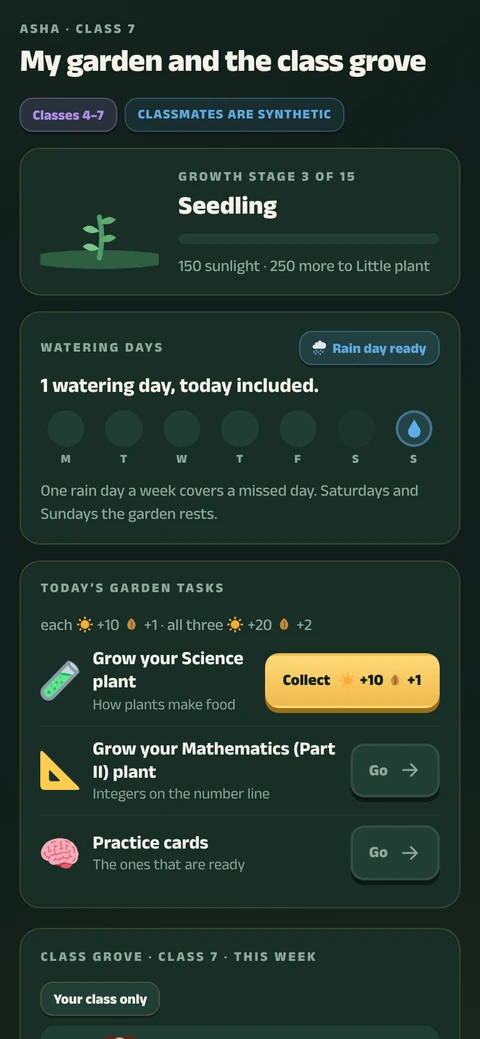
Each lesson brings sunlight that grows her garden through its growth stages, with watering days, blooms and today’s garden tasks.
The class grove counts effort, never marks, and never shows the bottom of the list. Younger classes play as houses, so nobody is ranked on their own.
Ask Dxtr, on every screen.
A round button sits on every screen, for the child, her parent and the school.
- Tap it to ask. She asks about her school work. Her parent and her school ask about her learning.
- Hold it for Show me. Show me points at what to tap on that screen and says why.
for teachers.
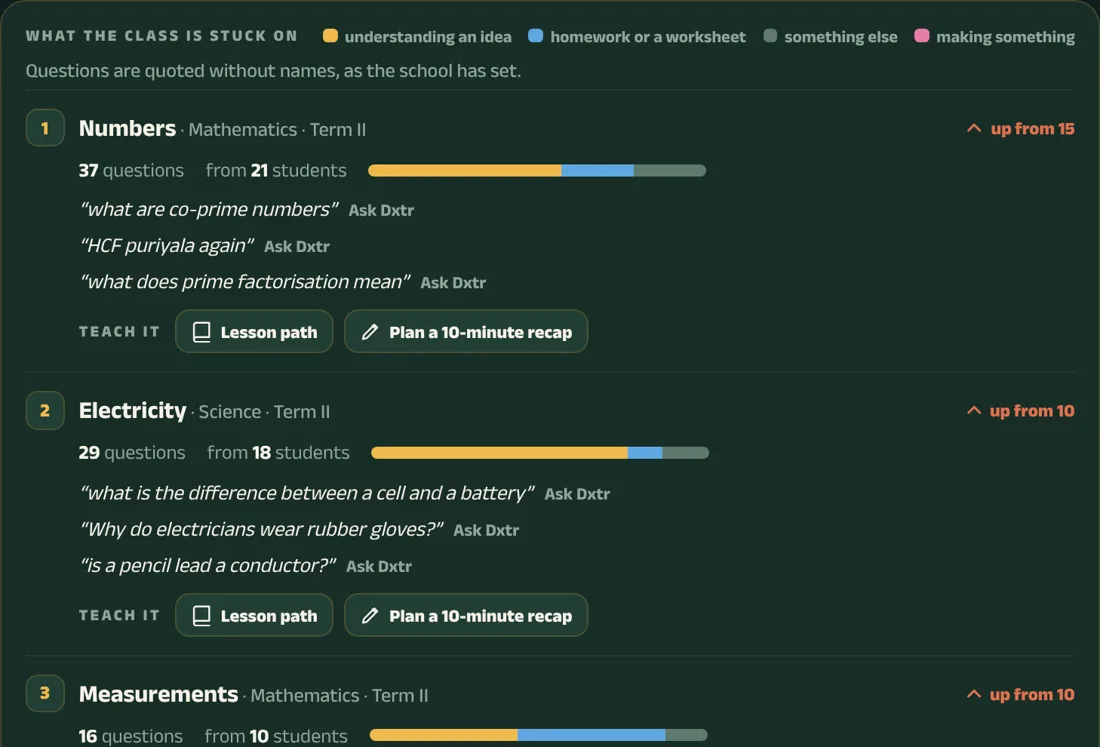
See what the class is stuck on, from children’s own questions when parents have agreed.
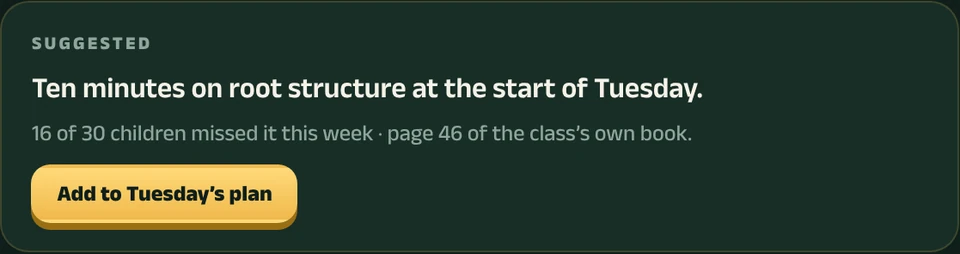
It shows topics, not a watch on each child, with a 10-minute plan for the weakest idea.
for parents.
A weekly message in English, Tamil or Hindi that tells her week in words: never scores, ranks or comparisons with other children.
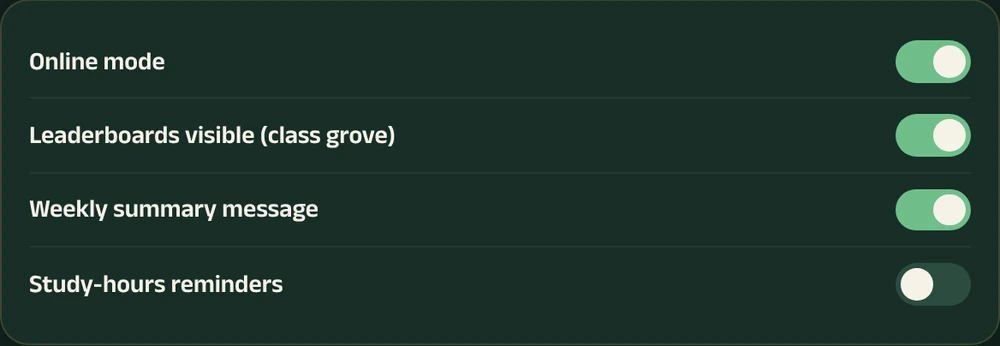
And a switch for every feature.
Hello! Here is Meera’s week at school with Dxtr.
Getting better at: photosynthesis (Science, chapter 4).
Working on: fractions (Maths).
Loves: biology.
Try at home: cut a roti or a fruit into equal parts and name the fractions together.
Class teacher, 6B
safe by design.
The school sets the rules, parents give consent, and a child who needs help gets it on the tablet in front of her.
Help, right on the tablet.
A child who sounds hurt is shown where to get help, on the tablet itself, and nothing is sent.
- Age rules, set by the schoolSchools choose which features each of the five age bands can use.
- Questions need consentChildren’s questions reach their teacher only with a parent’s consent.
- Approved before it is sharedAnything a child shares is approved by her school first.
- Export or deleteSchools can export a child’s data, or delete it.
runs where schools are.
Dxtr works on the devices schools already have, offline first.
- Classroom tabletsClassroom tablets work offline; harder doubts go online.
- School PCsWindows 7 and up, in the browser.
- PhonesIn the browser.
- iPadsIn the browser.
register your interest.
Two quick questions: your email, and who you are. You get a link to try Dxtr straight away.
Register interestQuestions? Write to [email protected]